Skip to content

Create Shipping Discounts
- Click “Create New Shipping Discount” on the dashboard.
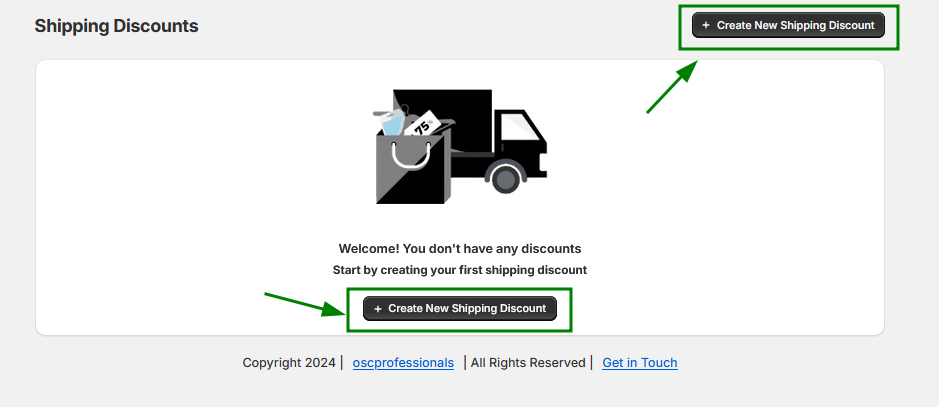
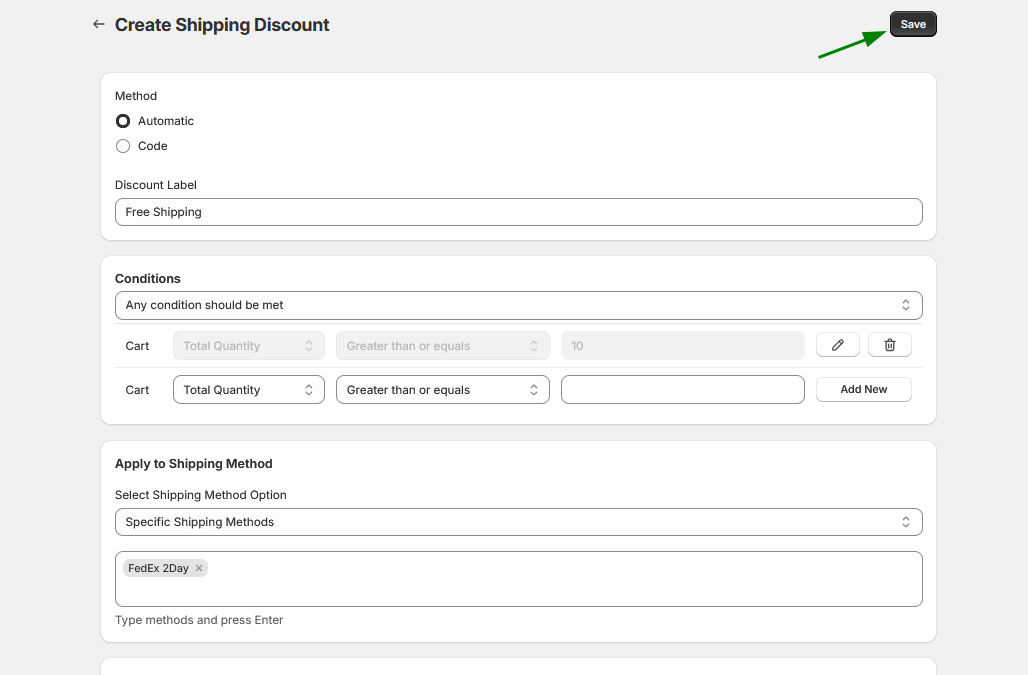
2. You will be redirected to the Create Shipping Discounts page.
3. Select a Discount Method:
- Automatic: The discount will be applied automatically at the checkout page.
- Code: Customers must manually enter the provided code at the checkout page to apply the discount.

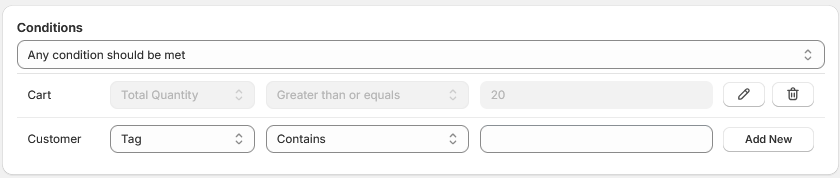
4. Add Conditions to Apply the Shipping Discount:
You can set conditions based on the cart, product, or customer.
A. Cart:
- Add conditions based on the cart’s total quantity or cart amount.
B. Product:
- Apply the discount to specific products. You can select multiple products as needed.
C. Customer Tag:
- Restrict the discount to specific customers by adding relevant customer tags.
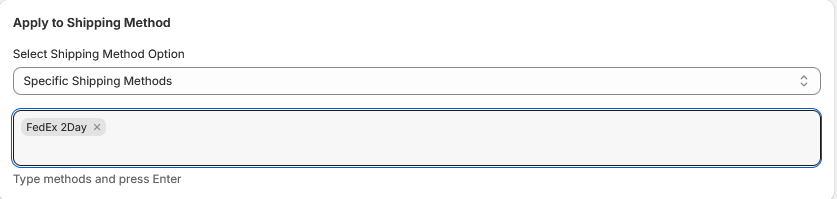
5. Choose a Shipping Method:
- Use the dropdown menu to select either:
- All Shipping Methods
- Specific Shipping Methods
- If you select Specific Shipping Methods, enter the exact name of the shipping method in the text field and press Enter.
- After pressing Enter, the selected shipping method will appear inside the text field.

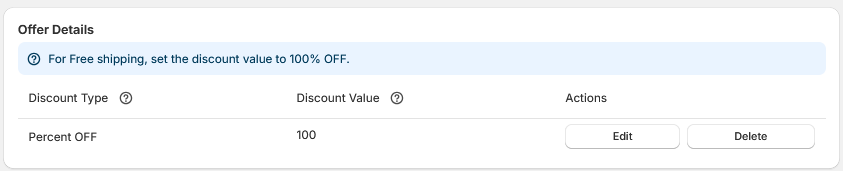
6. Add Offer Details:
- A. Select Discount Type: Choose between a percentage discount or a fixed amount off.
- B. Add Discount Value: Enter the value for the discount.
- C. Click “Add”: Click the Add button to apply the offer.
8. Choose an Active Dates.

9. Click on Save button.
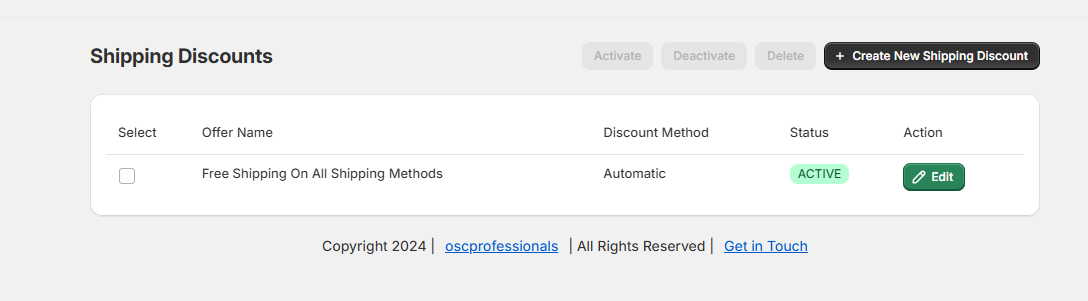
10. Once the offer is created, an Offer Listing Page will be generated with the following parameters:
- Offer Name: Displays the name of the created offer.
- Status: Indicates whether the offer is active or inactive.
- Action: Provides options to manage the offer (edit).
11. To create another shipping discount, click the Create New Shipping Discount button.
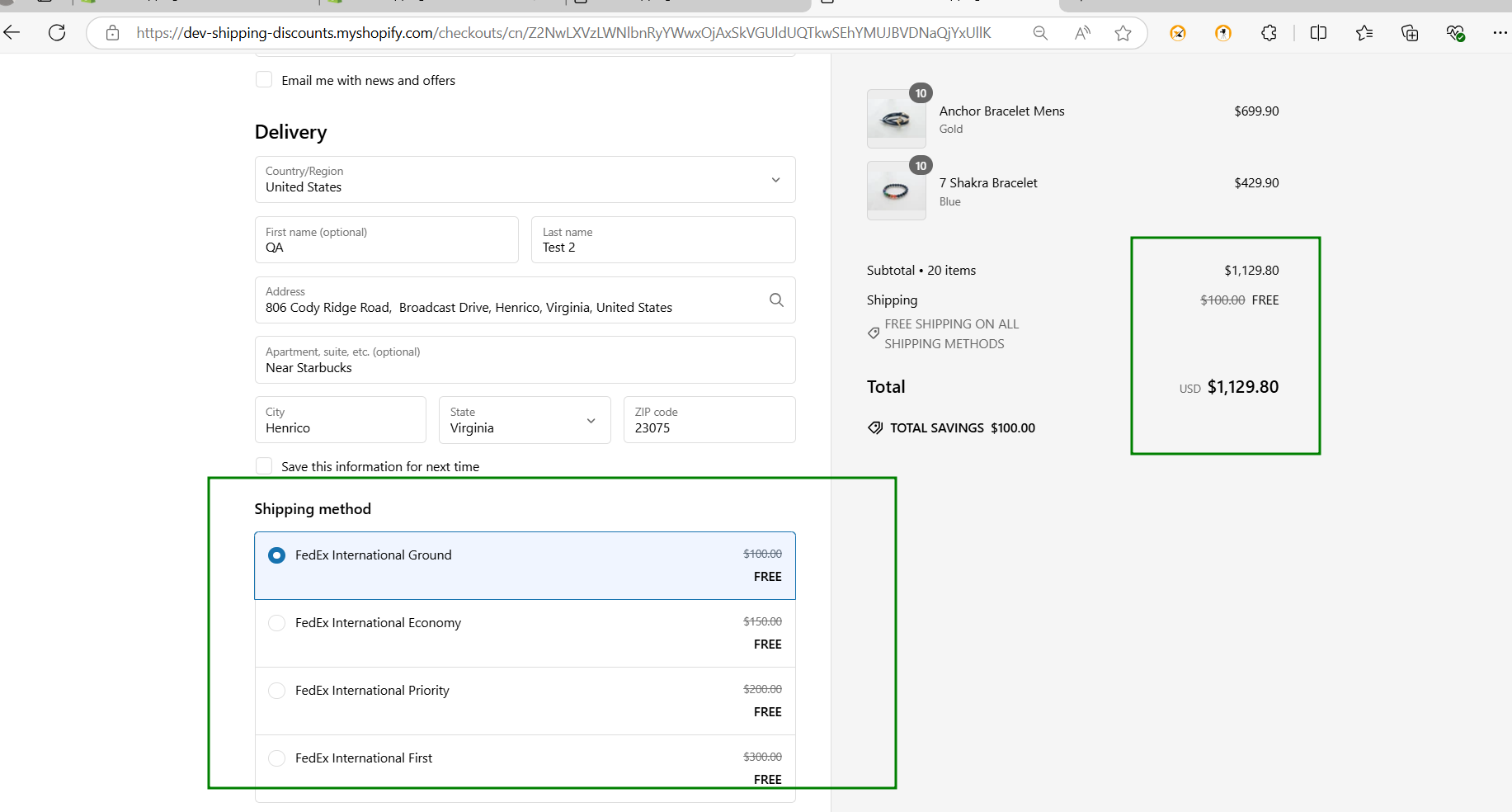
Offer Display: The shipping discount offer will now be created and will appear on the checkout page of your store.