 Skip to content

How to Create Discount Slab Pricing
This feature is available on the Essential Plan.
Step 1: Create a New Slab Pricing Offer
- Go to Additional Discount Rules.
- Click Manage Slab Rule.
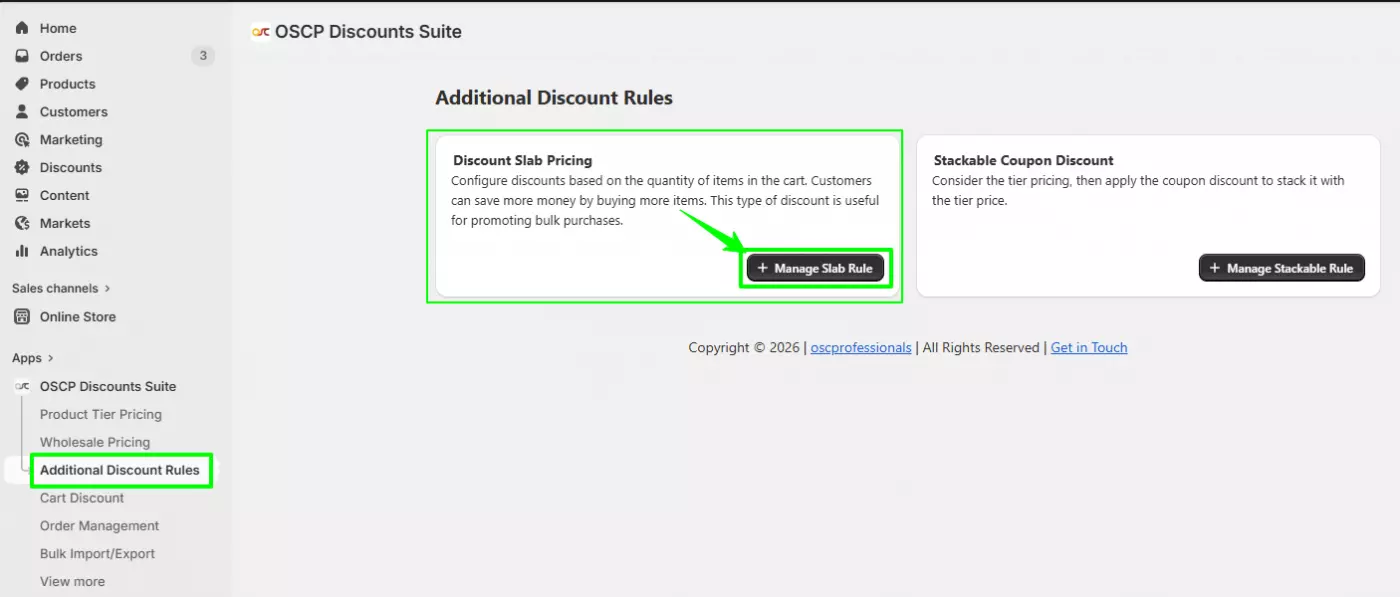
- Click Create Discount.
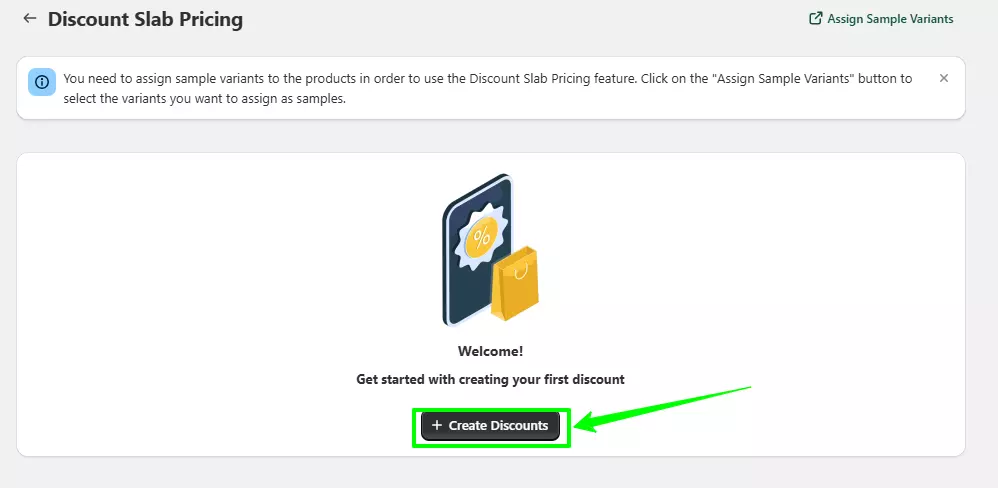
You will now see the Create Discount Slab Pricing configuration page.
Step 2: Configure Offer Status
Offer Status
- Enable – Activate the offer.
- Disable – Save the rule but keep it inactive.
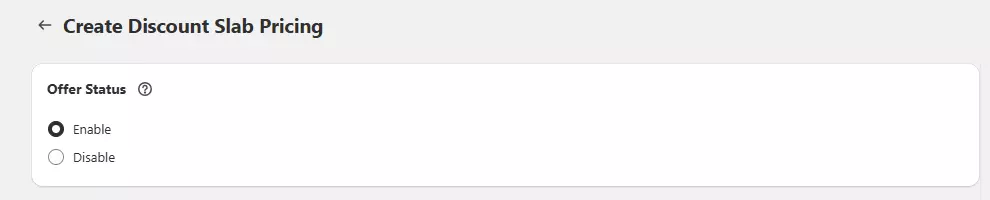
Select Enable to make the offer live.
Step 3: Select Slab Pricing Configuration
Choose how pricing should be calculated when multiple tagged products are added:
- Charge Maximum Price Product
The highest-priced product in the slab will be charged at full price. - Charge Minimum Price Product
The lowest-priced product in the slab will be charged at full price.

Select the option based on your pricing strategy.
Step 4: Add Offer Name
- Enter an internal Offer Name (Example: Buy 3 & Get Special Price).
- This name is for admin reference only.
- It will not be visible to customers.

Step 5: Add Product Tag
- In the Product(s) Tag section, enter the product tag.
- Click Add.

Important:
The same tag must be added to the relevant products in Shopify.
The offer will apply only to products with this tag.
Step 6: Add Slab Price Rules
In the Offer Details section:
- Click Add New Price Rule.
- Configure the following fields:
Quantity
Enter the required quantity to activate the slab.
Discount Type
Select the pricing type:
- Fixed Price
Value
Enter:
- The fixed price amount OR
- The discount percentage
Click Add Rule.
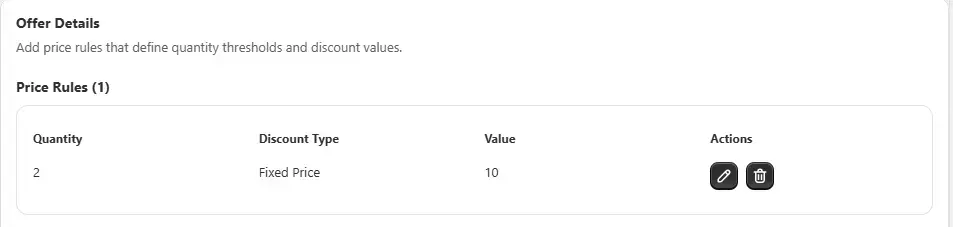
You can add multiple slab levels (Example: 2 qty, 3 qty, 5 qty).
Step 7: Save the Offer
After adding all slab rules:
Click Save.
The rule will now appear in the Slab Pricing listing page.
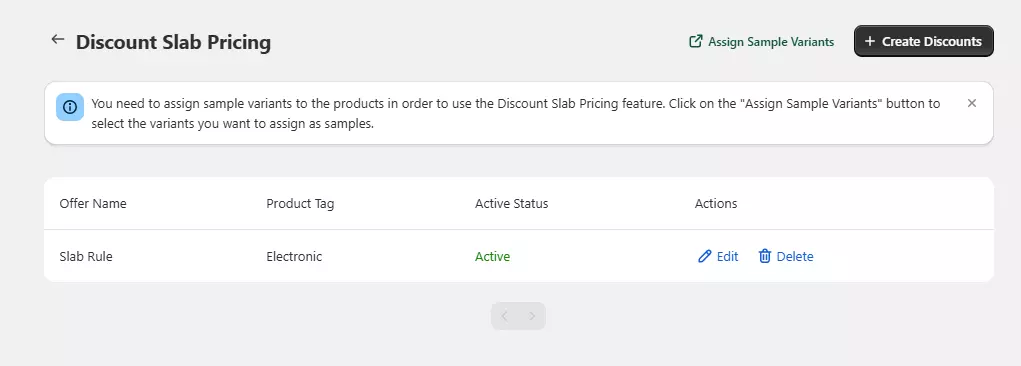
Optional: Assign Sample Variants
If the slab pricing should apply only to specific variants:
- Go to the listing page.
- Click Assign Sample Variants.
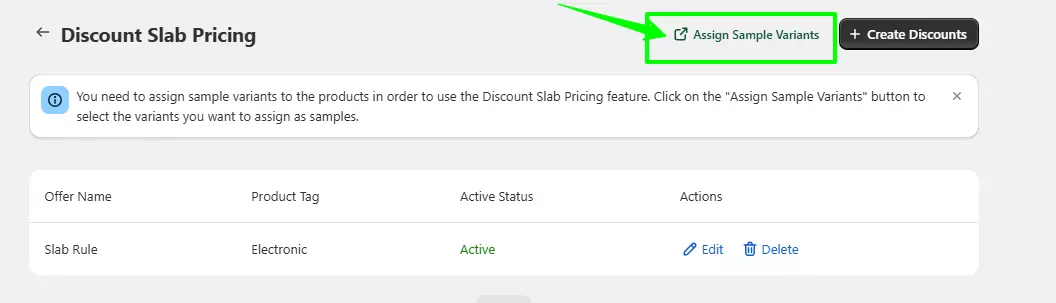
- Select the variants.
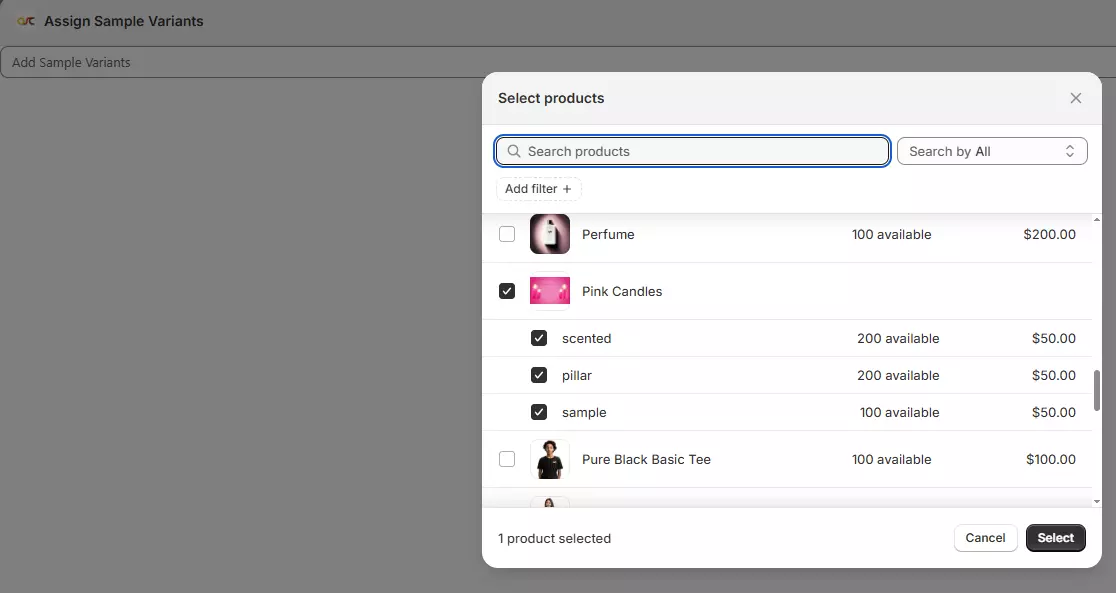
- Save changes.
How Slab Pricing Works (Example)
Scenario: Floral Samples
- 1st Sample → $25
- Additional Sample → $3
If customer adds:
- 1 sample → $25
- 2 samples → $25 + $3
- 3 samples → $25 + $3 + $3
Depending on your selected configuration:
- If Charge Maximum Price Product is selected → Highest-priced product charged fully.
- If Charge Minimum Price Product is selected → Lowest-priced product charged fully.
