 Skip to content

How Show discounted price as original price on item at checkout.
Enable Draft Order – Order Processing Mode
Step 1: Open Additional Settings
From the Shopify Admin, navigate to:
OSCP Wholesale → Additional Settings
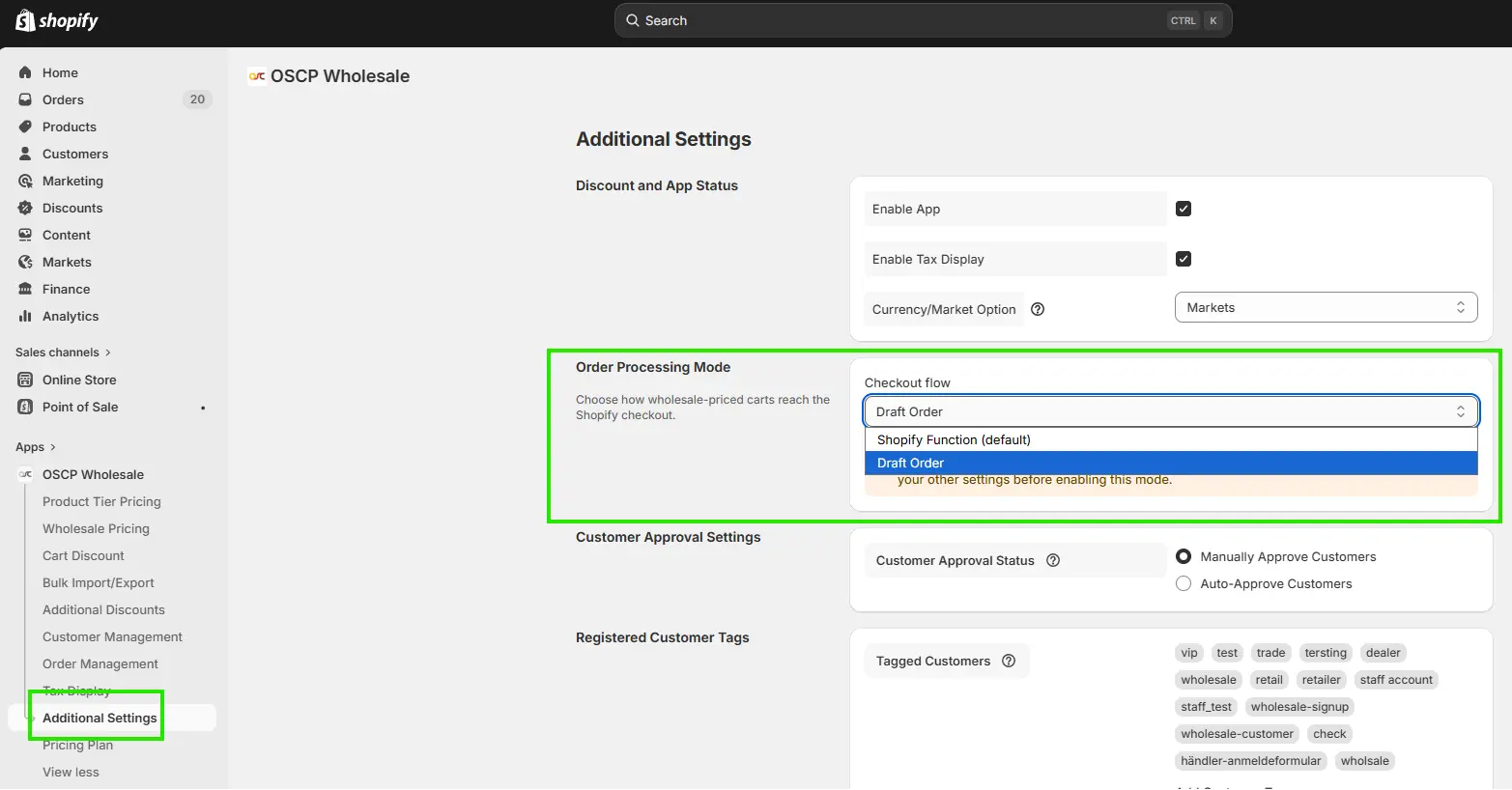
Step 2: Select Checkout Flow
Under Order Processing Mode, Click on Checkout Flow dropdown.
Select: Draft Order
Step 3: Save Settings
Click Save to apply the changes.
How It Works
1. Customers can view the Tier pricing widget on the product page.
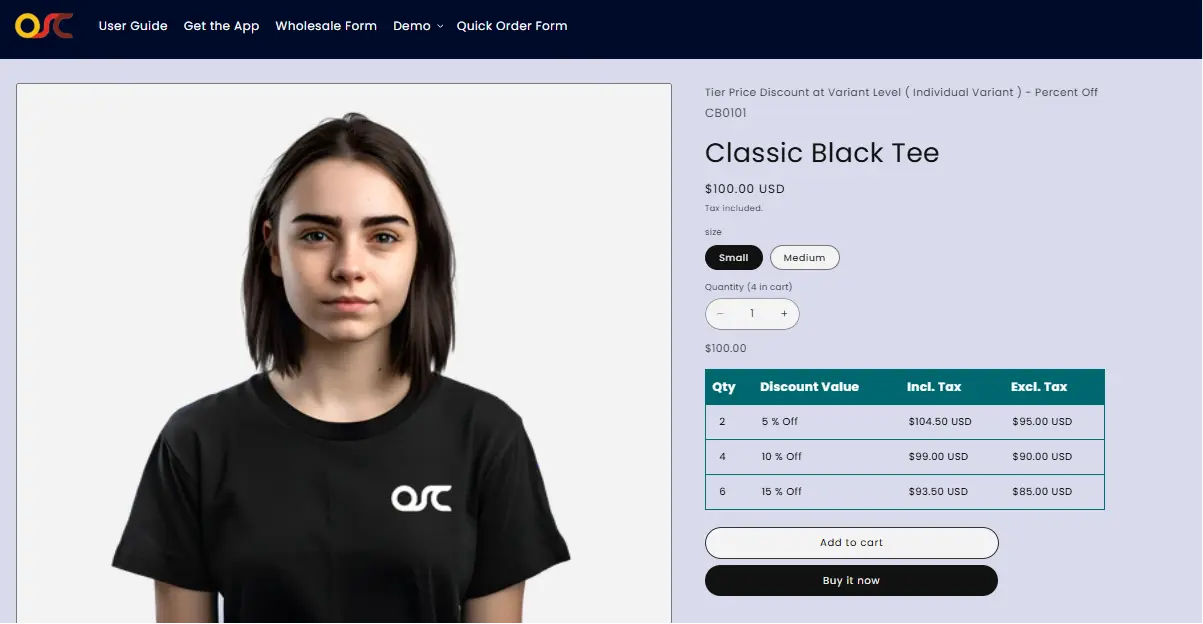
2. The widget displays available tier pricing discounts for each product variant.
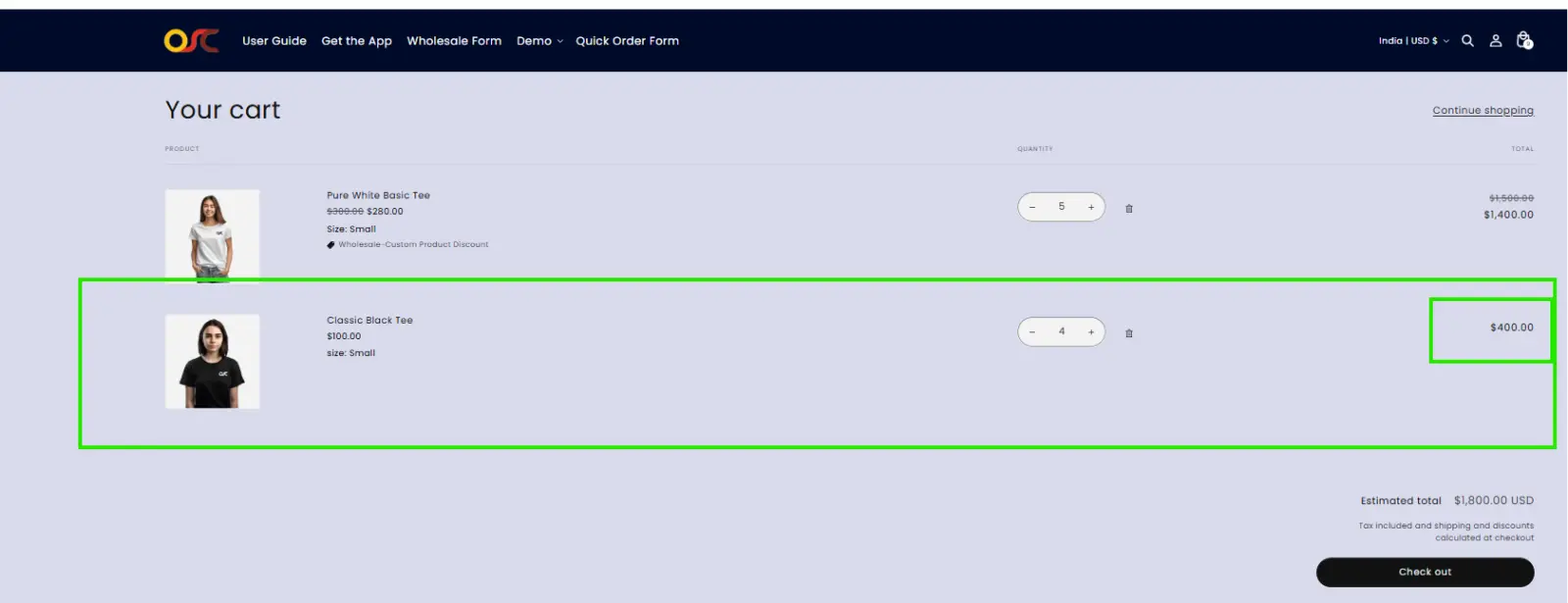
3. Customers add products to the cart as usual.
4. The cart displays the product’s original price.
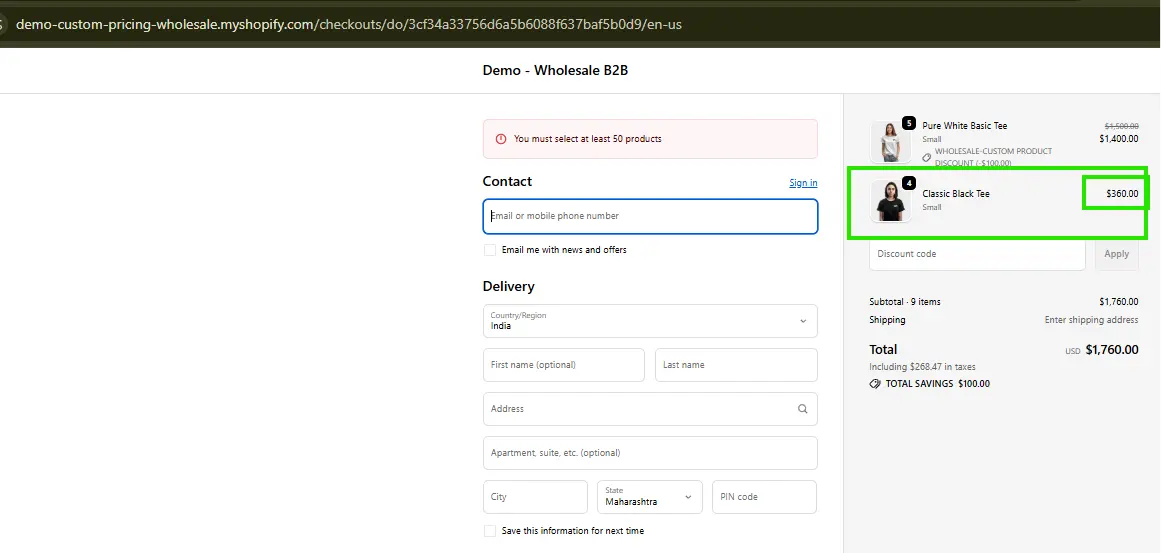
5. When the customer clicks Checkout, the app creates a Shopify Draft Order.
6. The discounted tier price is shown as the original product price at checkout.
Supported Features
✔ Variant-Level Tier Pricing
- Product level -Level Tier Pricing
- Product-Level Wholesale Offers
- Collection-Level Wholesale Offers
- Market-Specific Wholesale Offers
✔ Row-Level Cart Discounts
- All Products
- Specific Products
- Specific Collections
