Skip to content


Description
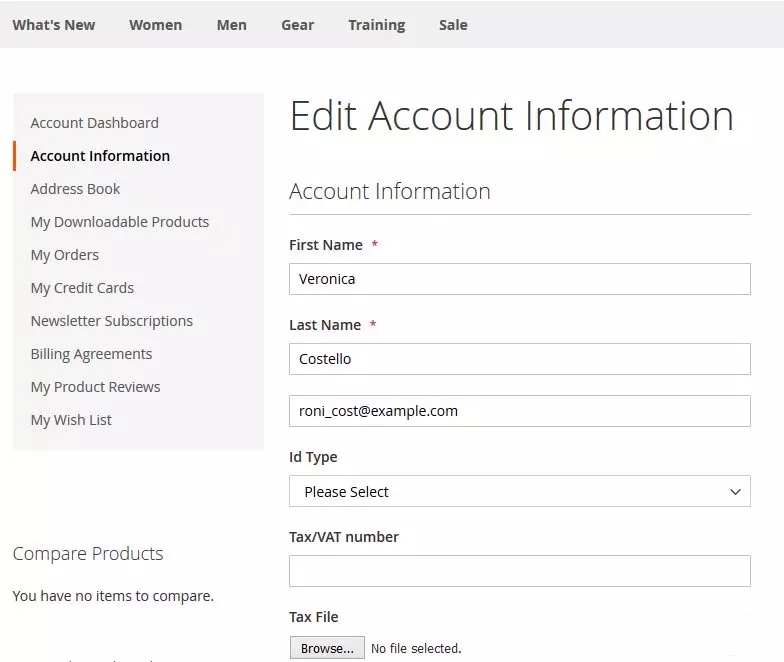
Our Tax Exempt module allows a customer to checkout without tax, provided they are exempted from Tax as per Government rules.A customer will have to submit his Tax ID type( Resale number or IRS number) and Tax Id Value plus attach his Tax Certificate while creating his account or by editing His account.
Admin interface also allows creating a customer with Tax exemption attributes.This module does not verify whether the details are correct, admin needs to check.
Features
Features
-
Customer based tax exemption
- Tax Id and Tax Certificate can be added from My Account (Customer)
-
Save Tax Id details for future Tax exemption to customer
-
Customer can re-upload Tax Certificate
-
Allow Guest Customer to checkout tax free
-
From ‘My Account’ customer can upload different types of file extension like jpg, jpeg, gif, png, pdf, txt, doc, docx, ppt
-
From Customer My account, they can upload jpg, jpeg, png, pdf file extension
-
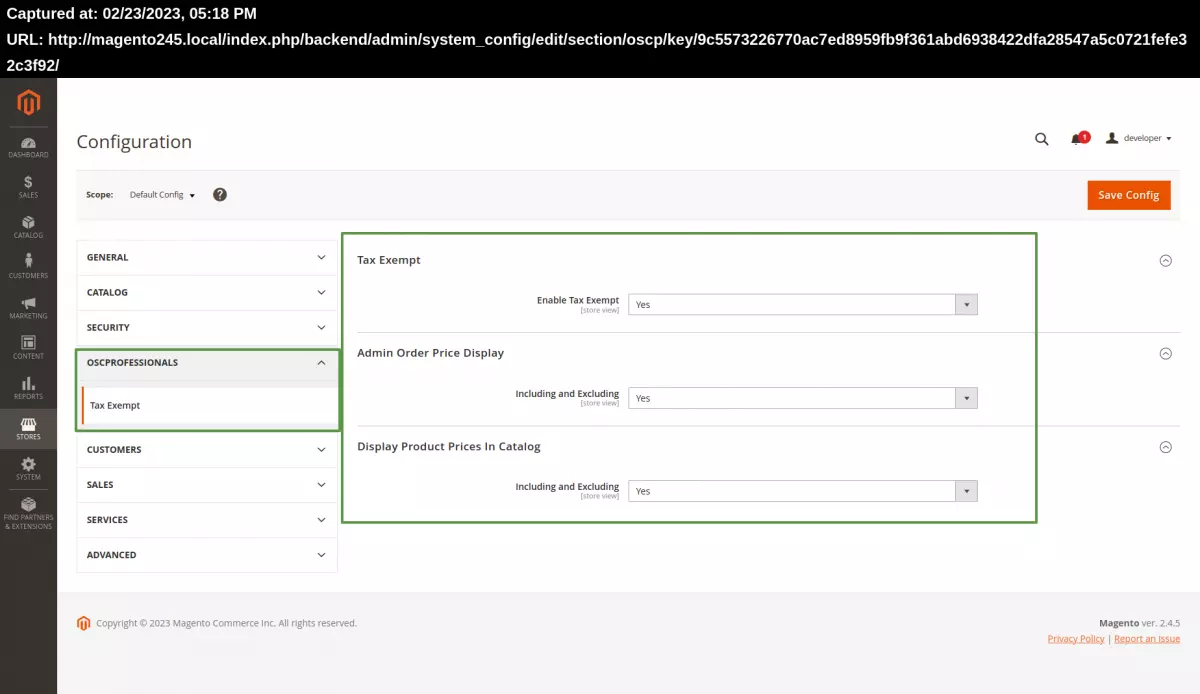
Simple & Easy Configuration
How it works
For Checkout as Registered Customers :
- During Customer Registration a customer will be able to select Tax Id type( Resale Number or IRS number) and enter Id number. Also a customer can upload related certificate from their account.
- Submission of above details will make set customer Tax exemption applicable to true.
- Customer can also edit customer details and fill above stated details to be eligible for Tax exemption.
- Once Customer is eligible for tax exempt , then the customer will able to checkout with Tax Exempt on products, It will be applicable for all purchases of that customer.
- For Guest Checkout, this module works by adding extra step that is ‘Tax Exempt’ in Checkout. Select the tax type (Resale Number or IRS Number) from drop-down then enter the Tax Id value, once guest customer enter this details, Customer becomes eligible for tax exemption and customer will able to checkout without Tax.
- Here tax id and Tax type will be saved in order details.
From Admin :
- Admin while creating a customer can add tax Type and tax Id value.
- Admin can edit a customer detail for all fields related to Tax exemption and can enable or disable tax exempt flag.
Note : No API used to verify tax details Admin needs to do this at his end.
Frequently Asked Questions
Customer Support / Troubleshooting
– Fields can be customized on Checkout to show ‘Tax ID’ field and the ‘Apply Tax-Exempt’ button only. For this, we need to do some changes to module files.
– No, the default module version will not work with mageplaza one step checkout. But we can achieve this by doing customization and make our module compatible with mageplaza one step checkout.
-Yes, we can change the field labels.
-Yes, it is possible to not display these fields during checkout.
Important Note :
We have observed that some sites that have additional third party modules like : TaxJar Module,
AvaTax Module ( checkout modify code,Tax modify code or some other code ) will break the functionality. This is due to the reason that our module and some third party modules are in conflict.
Don’t worry we will have you sort this for a nominal cost.
Custom Solution on Request
- Personal/Charity Tax exempt declaration can display on Shopping cart, checkout and in backend.
- Store-owner can show Tax exempt step before Shipping & Payment step on Checkout.
- Compatible with M2 one step checkout by one step checkout.
- Auto apply Tax based on configured Unit quantity.