Skip to content

Table of Contents
- Introduction
- What Is Shopify Theme Development?
- What Is Shopify Theme Development?
- Shopify Theme Development vs Theme Customization
- Shopify Online Store 2.0 and Theme Development
- Best Practices for Shopify Theme Development
- Common Challenges in Shopify Theme Development
- When Should You Invest in Custom Shopify Theme Development?
Shopify Theme Development: A Complete Guide of 2026 to Building High-Performance, Scalable Shopify Stores
Introduction
Shopify Custom Theme Development plays a crucial role in building a successful eCommerce store. While Shopify provides many ready-made themes, businesses that want better branding, performance, and scalability often require shopify theme development. A well-developed Shopify theme is not just about design it directly impacts user experience, conversions, SEO, and page speed.
In this detailed guide, we’ll explore what Shopify Theme Development is, why it matters, how it works, and best practices to build a fast, scalable, and conversion-optimized Shopify store.
What Is Shopify Theme Development?
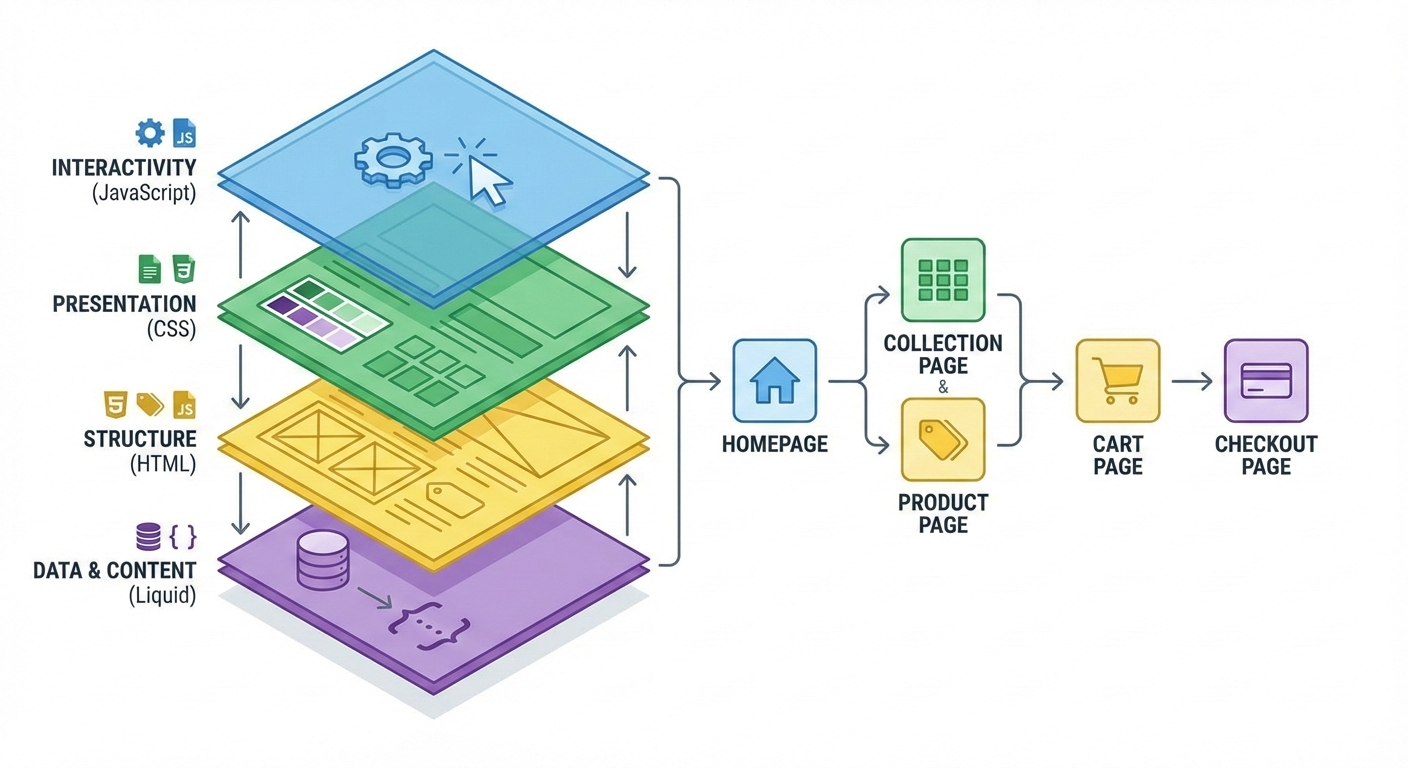
Shopify Theme Development refers to the process of designing, building, and customizing the visual and functional layer of a Shopify store. The theme controls how your store looks, how users interact with it, and how content is structured across pages like the homepage, product pages, collection pages, cart, and checkout.
A Shopify theme is built using:
- Liquid (Shopify’s templating language)
- HTML
- CSS
- JavaScript
- JSON templates (Online Store 2.0)
Theme development can range from minor UI changes to building a fully custom theme from scratch.
Why Shopify Theme Development Is Important
Many store owners underestimate the impact of a well-built theme. In reality, Shopify Theme Development directly affects business outcomes.
1. Better Brand Identity
Pre-built themes often look similar across stores. Custom Shopify theme development allows businesses to:
- Create a unique design
- Maintain consistent branding
- Stand out from competitors
2. Improved Page Speed
Bloated themes with unnecessary scripts slow down stores. A custom-developed theme:
- Loads faster
- Improves Core Web Vitals
- Reduces bounce rates
3. Higher Conversion Rates
A thoughtfully developed theme improves:
- Navigation flow
- Product discovery
- Checkout experience
Even small UX improvements can significantly increase conversions.
4. SEO Advantages
Clean code, proper heading structure, and optimized layouts help search engines crawl and index pages efficiently.
Theme Development vs Theme Customization
Many people confuse theme development with theme customization, but they are different.
Shopify Theme Customization
- Editing an existing theme
- Changing colors, fonts, layouts
- Adding small features
- Limited by theme architecture
Shopify Theme Development
- Building a theme from scratch or heavily modifying structure
- Full control over performance and UX
- Custom templates and components
- Ideal for growing or enterprise stores
If your store has complex requirements, Shopify Theme Development is the better choice.
Understanding Shopify Theme Architecture
Before starting Shopify Theme Customization, it’s important to understand how themes are structured.
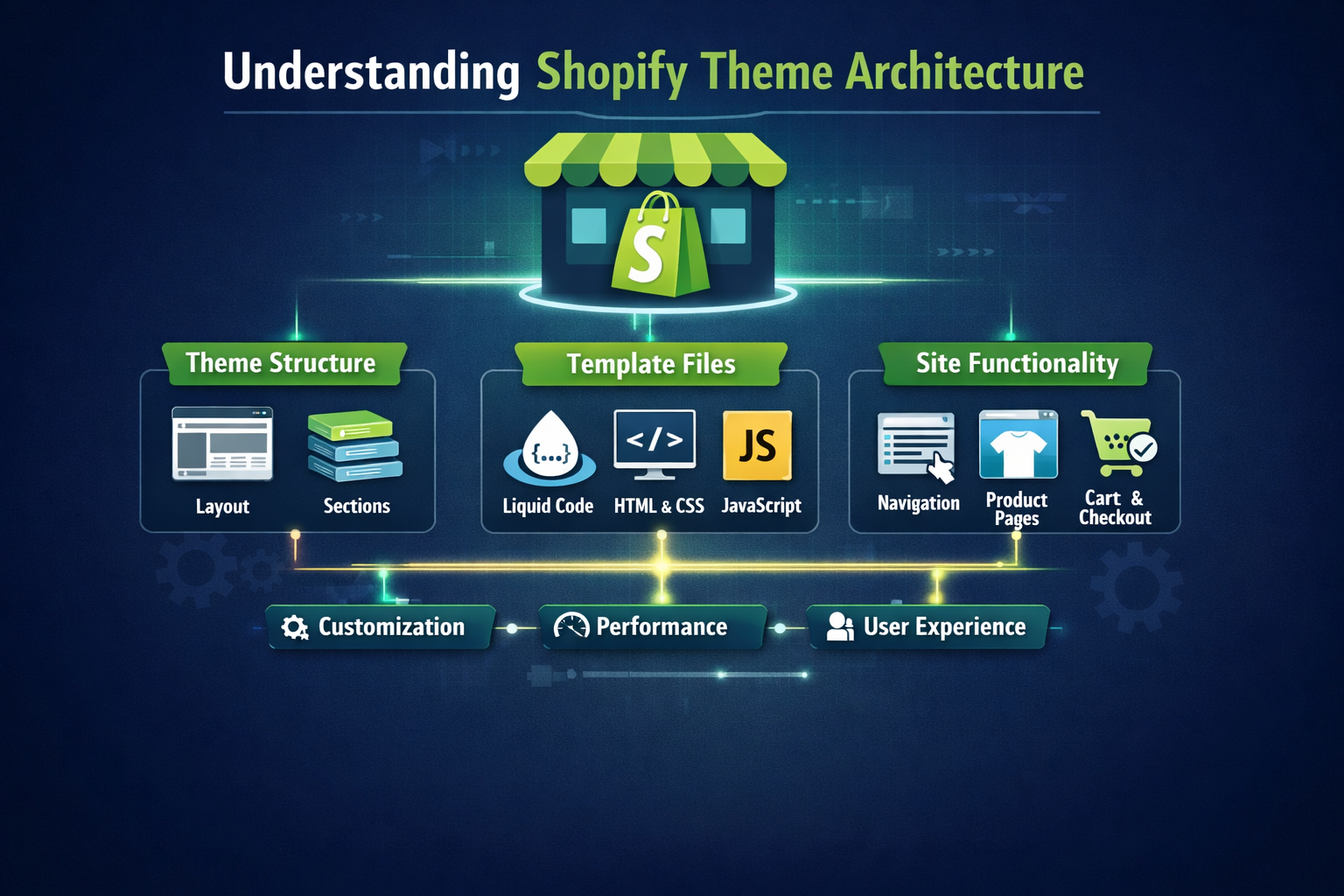
Key Theme Files and Folders
1. Layout
- theme.liquid
- Controls overall site structure (header, footer)
2. Templates
- Product, collection, page, blog, cart templates
- Online Store 2.0 uses JSON templates
3. Sections
- Reusable components like sliders, banners, FAQs
- Dynamic and customizable via the admin panel
4. Snippets
- Small reusable code blocks
- Example: product cards, icons, badges
5. Assets
- CSS, JavaScript, images, fonts
A solid understanding of this structure is essential for scalable Shopify theme development.
Shopify Online Store 2.0 and Theme Development
Shopify Online Store 2.0 has changed how themes are built and managed.
Key Benefits of Online Store 2.0
- JSON templates
- Sections everywhere
- Improved performance
- Better content flexibility
For modern Shopify Theme Customization, Online Store 2.0 is the standard.
Shopify Theme Customization Process (Step-by-Step)
Step 1: Requirement Analysis
Before writing a single line of code, define:
- Business goals
- Target audience
- Required features
- Competitor analysis
Step 2: Wireframing and UX Planning
This stage focuses on:
- Page layouts
- User flow
- Mobile-first design
- Conversion optimization
Step 3: Theme Setup
Developers typically:
- Use Shopify CLI
- Create a development theme
- Set up Git version control
Step 4: Liquid Development
Liquid is the backbone of Shopify Theme Customization. It handles:
- Dynamic product data
- Collections
- Customer logic
- Conditional rendering
Step 5: Styling and Responsiveness
CSS and modern frameworks are used to:
- Build responsive layouts
- Ensure cross-browser compatibility
- Optimize mobile experience
Step 6: JavaScript Enhancements
JavaScript is used for:
- Sliders
- Filters
- Cart interactions
- AJAX add-to-cart
Step 7: Performance Optimization
Critical steps include:
- Reducing unused CSS/JS
- Lazy loading images
- Optimizing fonts
- Minimizing third-party scripts
Step 8: Testing and QA
Testing includes:
- Mobile and desktop views
- Checkout flow
- Page speed
- Browser compatibility
Best Practices for Shopify Theme Development
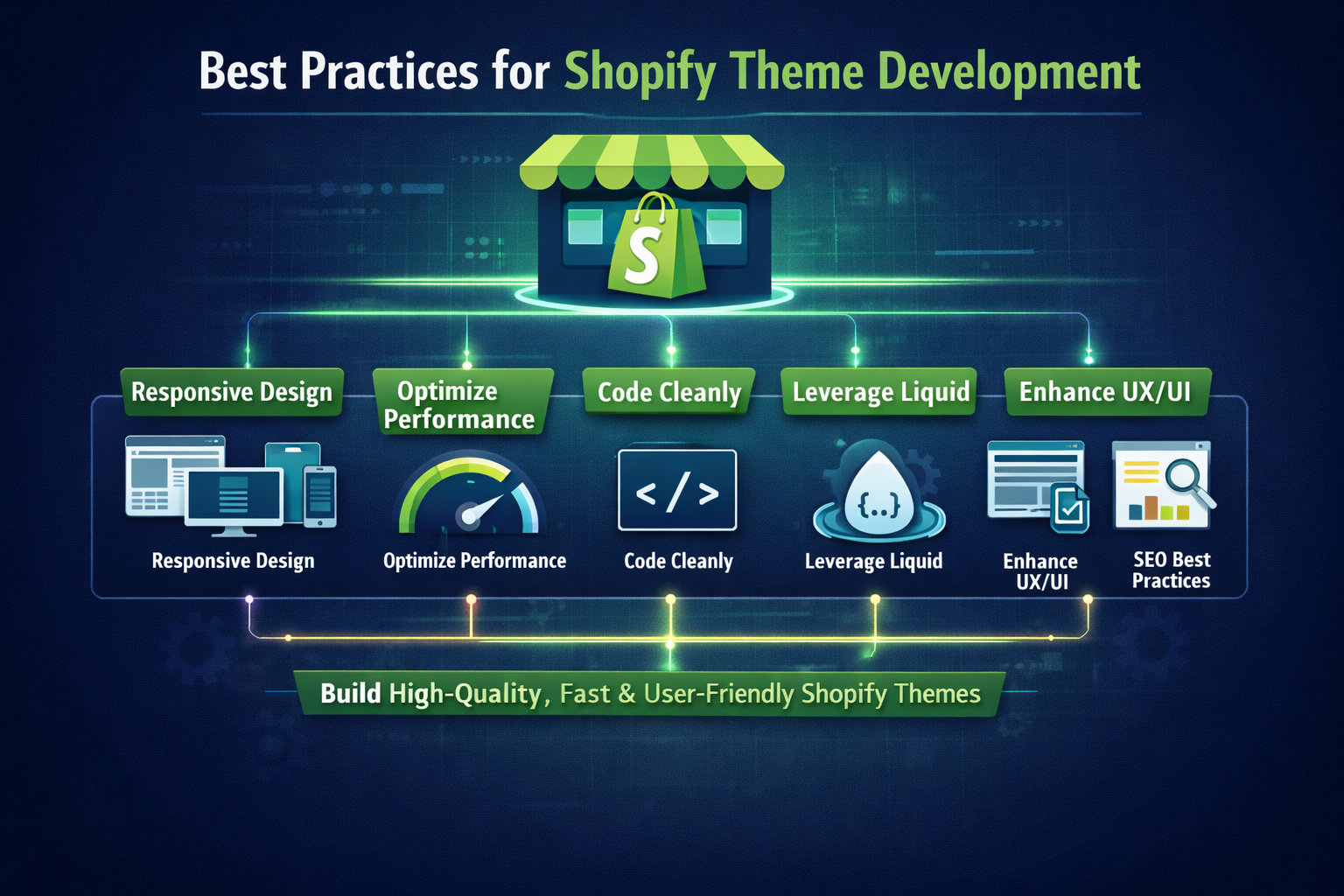
1. Follow Mobile-First Design
Most Shopify traffic comes from mobile devices. Themes must be:
- Fully responsive
- Touch-friendly
- Fast on low-end devices
2. Optimize for Speed
Speed is non-negotiable. Best practices include:
- Minimal JavaScript
- Clean CSS
- Optimized images
- Lightweight animations
3. Use Sections and Blocks Effectively
Sections allow merchants to update content without developers. A good Shopify theme:
- Uses reusable sections
- Provides flexibility in admin
- Avoids hard-coded layouts
4. Keep Code Clean and Scalable
Readable, modular code makes:
- Future updates easier
- Debugging faster
- Team collaboration smoother
5. Avoid App Dependency
Many stores rely heavily on apps, which slow down performance. Custom theme features often replace apps more efficiently.
Common Challenges in Shopify Theme Development
1. Over-Customization
Adding too many features can:
- Reduce performance
- Increase maintenance cost
- Complicate future upgrades
2. Compatibility Issues
Themes must work with:
- Shopify updates
- Apps
- Payment gateways
3. SEO Mistakes
Common errors include:
- Incorrect heading hierarchy
- Duplicate content
- Poor internal linking
Shopify Theme Customization and SEO
SEO should be built into the theme not added later.
SEO-Friendly Theme Elements
- Proper H1-H6 structure
- Clean URLs
- Schema markup
- Fast loading pages
- Optimized image handling
A strong Shopify Theme Customization strategy supports long-term organic growth.
When Should You Invest in Custom Shopify Theme Development?
You should consider it if:
- Your store has high traffic
- You want better branding
- Performance is a priority
- You’re scaling operations
- You want long-term flexibility
For growing brands, custom Shopify theme customization often pays for itself.
Shopify Theme Customization Cost Considerations
Costs vary based on:
- Design complexity
- Custom features
- Performance requirements
- Developer expertise
While upfront costs may be higher than buying a theme, the long-term ROI is often significantly better.
Future of Shopify Theme Customization
Shopify continues to evolve, and theme customization is becoming:
- More performance-focused
- More modular
- More merchant-friendly
Headless commerce, Hydrogen, and advanced customization options are shaping the future.
Final Thoughts
Shopify Theme customization is not just about aesthetics it’s about performance, scalability, user experience, and business growth. A well-developed theme can dramatically improve conversions, SEO rankings, and customer satisfaction.
If you want your Shopify store to stand out in a competitive market, investing in professional Shopify Theme Development is one of the smartest decisions you can make.